 PRIME MOTION
Stock and setups
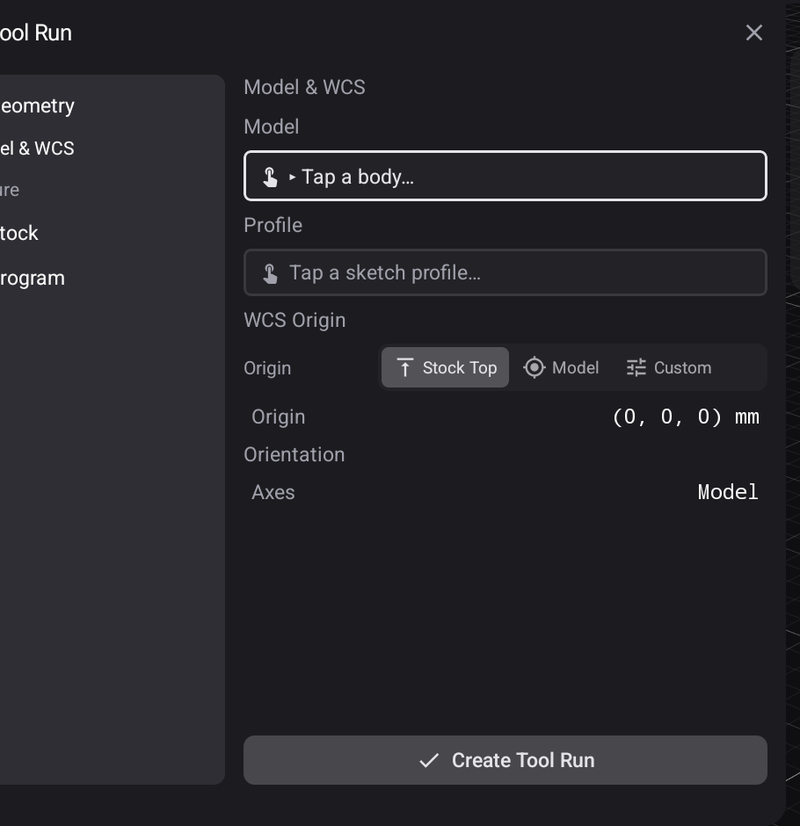
A tool run is created by pointing it at the Model — tap the body — and saying where work zero is. With Stock Box the origin snaps to one of the 27 points of the stock box, and the panel names which one it landed on, so you can read it back rather than trusting a preview.
Before a toolpath can be generated, CAM has to know three things that have nothing to do with the model: what material you are cutting from, how it is held, and where zero is.
That is what a Tool Run captures.
Geometry — the model and where zero is
Model is the body being machined. Profile is the sketch outline where an operation needs one.
WCS origin is the important one: it decides where the program's X0 Y0 Z0 lands.
You pick a box, then a point on that box — a corner, an edge midpoint, a face centre, or the centre itself. 27 points on either box.
| Choice | Zero ends up |
|---|---|
| Stock Box | On the blank you clamp — the material including any stock offsets |
| Model Box | On the part itself — the model's bounding box, inside the blank |
| Custom | Wherever you drag the origin gizmo |
A new tool run starts on Stock Box, at the bottom front-left corner.
Stock — what you are cutting from
The block the part comes out of. It decides how much material roughing has to clear, and it is what the simulation removes.
Fixture — how it is held
Where the clamps are matters, because the machine will happily traverse straight through one.
Program — what gets posted
The output settings for the finished program.