 PRIME MOTION
Settings — General
Display
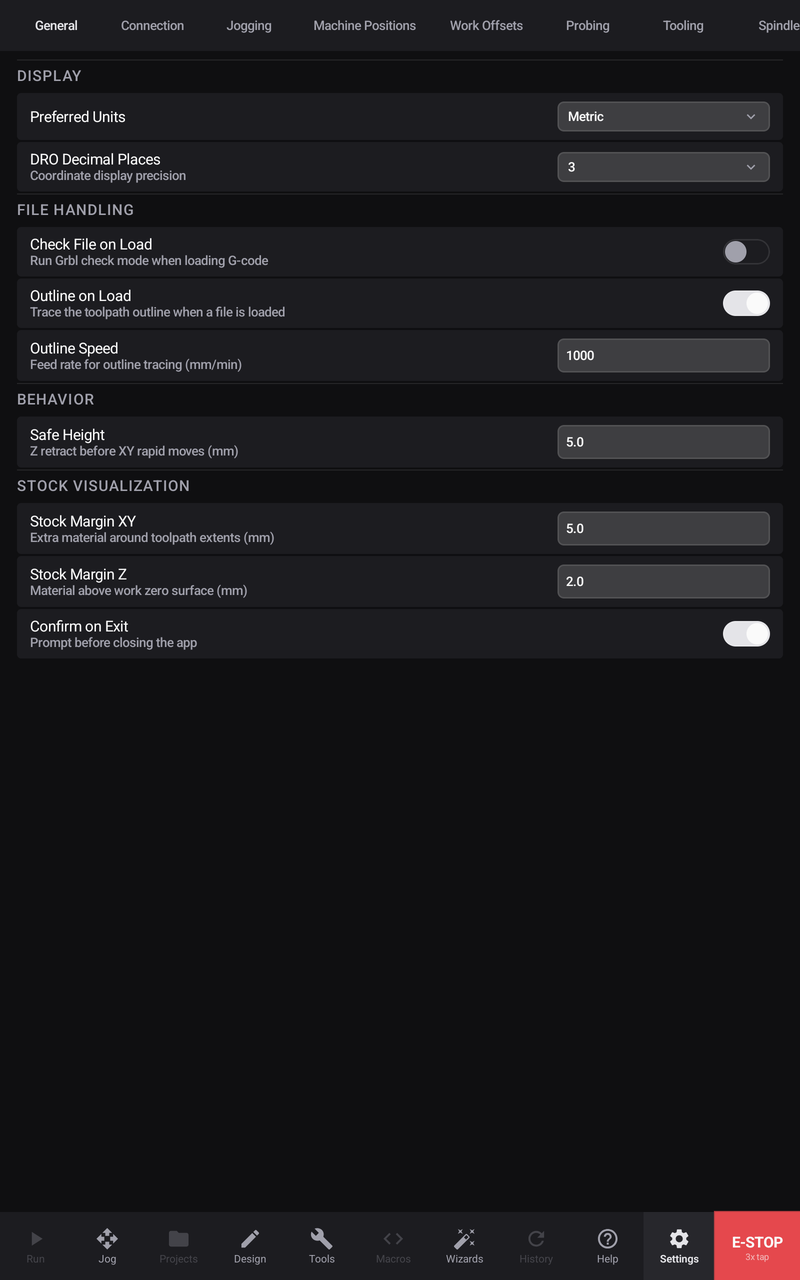
Preferred Units — metric or imperial, throughout the app.
Decimal places — how precisely the position readout is shown. Three is a sensible default; more digits do not make the machine more accurate, they only make the number harder to read at a glance.
File handling
Check File on Load — has the controller parse a program without moving anything as soon as it is loaded, so a file it cannot understand is rejected before you set anything up rather than after.
Outline on Load — traces the outline of the toolpath when a file loads, so you can see where the job will sit on the material.
Outline speed — how fast that trace runs.
Behaviour
Safe Height — how far Z retracts before a rapid across the work. This is the clearance that stops a traverse from dragging the tool through a clamp or a finished feature.
Stock visualisation
Stock Margin XY and Stock Margin Z — how much material to draw around the toolpath when a program does not describe its own stock.
Programs posted by Prime Motion carry their real stock. Hand-imported ones do not, so the app draws a box around the toolpath grown by these margins. If stock in the 3D view looks shrink-wrapped to the path, that is why — it is derived, not declared.
Confirm on exit
Confirm on Exit asks before closing the app. Worth leaving on: closing mid-job is not something to do by accident.